pterm
A library to beautify console output on every platform with many combinable components
About pterm
This large README is shown as a plain-text preview. Read the full README at the source
<!--suppress HtmlDeprecatedAttribute -->
<h1 align="center">💻 PTerm | Pretty Terminal Printer</h1>
<p align="center">A modern Go framework to make beautiful CLIs</p>
<p align="center">
<a href="https://github.com/pterm/pterm/releases" style="text-decoration: none">
<img src="https://img.shields.io/github/v/release/pterm/pterm?style=flat-square" alt="Latest Release">
</a>
<a href="https://github.com/pterm/pterm/stargazers" style="text-decoration: none">
<img src="https://img.shields.io/github/stars/pterm/pterm.svg?style=flat-square" alt="Stars">
</a>
<a href="https://github.com/pterm/pterm/fork" style="text-decoration: none">
<img src="https://img.shields.io/github/forks/pterm/pterm.svg?style=flat-square" alt="Forks">
</a>
<a href="https://opensource.org/licenses/MIT" style="text-decoration: none">
<img src="https://img.shields.io/badge/License-MIT-yellow.svg?style=flat-square" alt="License: MIT">
</a>
<a href="https://codecov.io/gh/pterm/pterm" style="text-decoration: none">
<img src="https://img.shields.io/codecov/c/gh/pterm/pterm?color=magenta&logo=codecov&style=flat-square" alt="Downloads">
</a>
<a href="https://codecov.io/gh/pterm/pterm" style="text-decoration: none">
<!-- unittestcount:start --><img src="https://img.shields.io/badge/Unit_Tests-1538-magenta?style=flat-square" alt="Unit Tests"><!-- unittestcount:end -->
</a>
<br/>
<a href="https://github.com/pterm/pterm/releases" style="text-decoration: none">
<img src="https://img.shields.io/badge/platform-windows%20%7C%20macos%20%7C%20linux-informational?style=for-the-badge" alt="Downloads">
</a>
<a href="https://marvin.ws/twitter">
<img src="https://img.shields.io/badge/Twitter-%40MarvinJWendt-1DA1F2?logo=twitter&style=for-the-badge"/>
</a>
<br/>
<br/>
<a href="https://github.com/pterm/pterm/tree/master/_examples/demo/demo" style="text-decoration: none">
<img src="https://vhs.charm.sh/vhs-CsXO6G3ouQR1XjYZYr2q8.gif" alt="PTerm">
</a>
<p align="center"><a href="https://github.com/pterm/pterm/tree/master/_examples/demo/demo" >Show Demo Code</p></p>
</p>
---
<p align="center">
<strong><a href="https://pterm.sh">PTerm.sh</a></strong>
|
<strong><a href="#-installation">Installation</a></strong>
|
<strong><a href="https://docs.pterm.sh/getting-started">Getting Started</a></strong>
|
<strong><a href="https://docs.pterm.sh/">Documentation</a></strong>
|
<strong><a href="https://github.com/pterm/pterm/tree/master/_examples">Examples</a></strong>
|
<strong><a href="https://github.com/pterm/pterm/discussions?discussions_q=category%3AQ%26A">Q&A</a></strong>
|
<strong><a href="https://discord.gg/vE2dNkfAmF">Discord</a></strong>
</p>
---
## 📦 Installation
To make PTerm available in your project, you can run the following command.\
Make sure to run this command inside your project, when you're using go modules 😉
```sh
go get github.com/pterm/pterm
```
## ⭐ Main Features
| Feature | Description |
|------------------|-----------------------------------------------------|
| 🪀 Easy to use | PTerm emphasizes ease of use, with [examples](#-examples) and consistent component design. |
| 🤹♀️ Cross-Platform | PTerm works on various OS and terminals, including `Windows CMD`, `macOS iTerm2`, and in CI systems like `GitHub Actions`. |
| 🧪 Well tested | A high test coverage and <!-- unittestcount2:start -->`1538`<!-- unittestcount2:end --> automated tests ensure PTerm's reliability. |
| ✨ Consistent Colors | PTerm uses the [ANSI color scheme](https://en.wikipedia.org/wiki/ANSI_escape_code#3/4_bit) for uniformity and supports `TrueColor` for advanced terminals. |
| 📚 Component system | PTerm's flexible `Printers` can be used individually or combined to generate beautiful console output. |
| 🛠 Configurable | PTerm is ready to use without configuration but allows easy customization for unique terminal output. |
| ✏ Documentation | Access comprehensive docs on [pkg.go.dev](https://pkg.go.dev/github.com/pterm/pterm#section-documentation) and view practical examples in the [examples section](#-examples). |
### Printers (Components)
<div align="center">
<!-- printers:start -->
| Feature | Feature | Feature | Feature | Feature |
| :-------: | :-------: | :-------: | :-------: | :-------: |
| Area <br/> [(Examples)](https://github.com/pterm/pterm/tree/master/_examples/area) |Barchart <br/> [(Examples)](https://github.com/pterm/pterm/tree/master/_examples/barchart) |Basictext <br/> [(Examples)](https://github.com/pterm/pterm/tree/master/_examples/basictext) |Bigtext <br/> [(Examples)](https://github.com/pterm/pterm/tree/master/_examples/bigtext) |Box <br/> [(Examples)](https://github.com/pterm/pterm/tree/master/_examples/box) |
| Bulletlist <br/> [(Examples)](https://github.com/pterm/pterm/tree/master/_examples/bulletlist) |Center <br/> [(Examples)](https://github.com/pterm/pterm/tree/master/_examples/center) |Coloring <br/> [(Examples)](https://github.com/pterm/pterm/tree/master/_examples/coloring) |Header <br/> [(Examples)](https://github.com/pterm/pterm/tree/master/_examples/header) |Heatmap <br/> [(Examples)](https://github.com/pterm/pterm/tree/master/_examples/heatmap) |
| Interactive confirm <br/> [(Examples)](https://github.com/pterm/pterm/tree/master/_examples/interactive_confirm) |Interactive continue <br/> [(Examples)](https://github.com/pterm/pterm/tree/master/_examples/interactive_continue) |Interactive multiselect <br/> [(Examples)](https://github.com/pterm/pterm/tree/master/_examples/interactive_multiselect) |Interactive select <br/> [(Examples)](https://github.com/pterm/pterm/tree/master/_examples/interactive_select) |Interactive textinput <br/> [(Examples)](https://github.com/pterm/pterm/tree/master/_examples/interactive_textinput) |
| Logger <br/> [(Examples)](https://github.com/pterm/pterm/tree/master/_examples/logger) |Multiple-live-printers <br/> [(Examples)](https://github.com/pterm/pterm/tree/master/_examples/multiple-live-printers) |Panel <br/> [(Examples)](https://github.com/pterm/pterm/tree/master/_examples/panel) |Paragraph <br/> [(Examples)](https://github.com/pterm/pterm/tree/master/_examples/paragraph) |Prefix <br/> [(Examples)](https://github.com/pterm/pterm/tree/master/_examples/prefix) |
| Progressbar <br/> [(Examples)](https://github.com/pterm/pterm/tree/master/_examples/progressbar) |Section <br/> [(Examples)](https://github.com/pterm/pterm/tree/master/_examples/section) |Slog <br/> [(Examples)](https://github.com/pterm/pterm/tree/master/_examples/slog) |Spinner <br/> [(Examples)](https://github.com/pterm/pterm/tree/master/_examples/spinner) |Style <br/> [(Examples)](https://github.com/pterm/pterm/tree/master/_examples/style) |
| Table <br/> [(Examples)](https://github.com/pterm/pterm/tree/master/_examples/table) |Test.sh <br/> [(Examples)](https://github.com/pterm/pterm/tree/master/_examples/test.sh) |Theme <br/> [(Examples)](https://github.com/pterm/pterm/tree/master/_examples/theme) |Tree <br/> [(Examples)](https://github.com/pterm/pterm/tree/master/_examples/tree) | |
<!-- printers:end -->
</div>
---
<div align="center">
### 🦸♂️ Sponsors
<img src="https://resources.jetbrains.com/storage/products/company/brand/logos/jb_beam.svg" />
---
</div>
## 🧪 Examples
<p align="center">
<table>
<tbody>
<td align="center">
<img width="2000" height="0"><br>
<a href="https://github.com/pterm/pterm/tree/master/_examples">‼️ You can find all the examples, in a much better structure and their source code, in "_examples" ‼️</a><br>
<sub>Click on the link above to show the examples folder.</sub>
<img width="2000" height="0">
</td>
</tbody>
</table>
</p>
<!-- examples:start -->
### area/demo
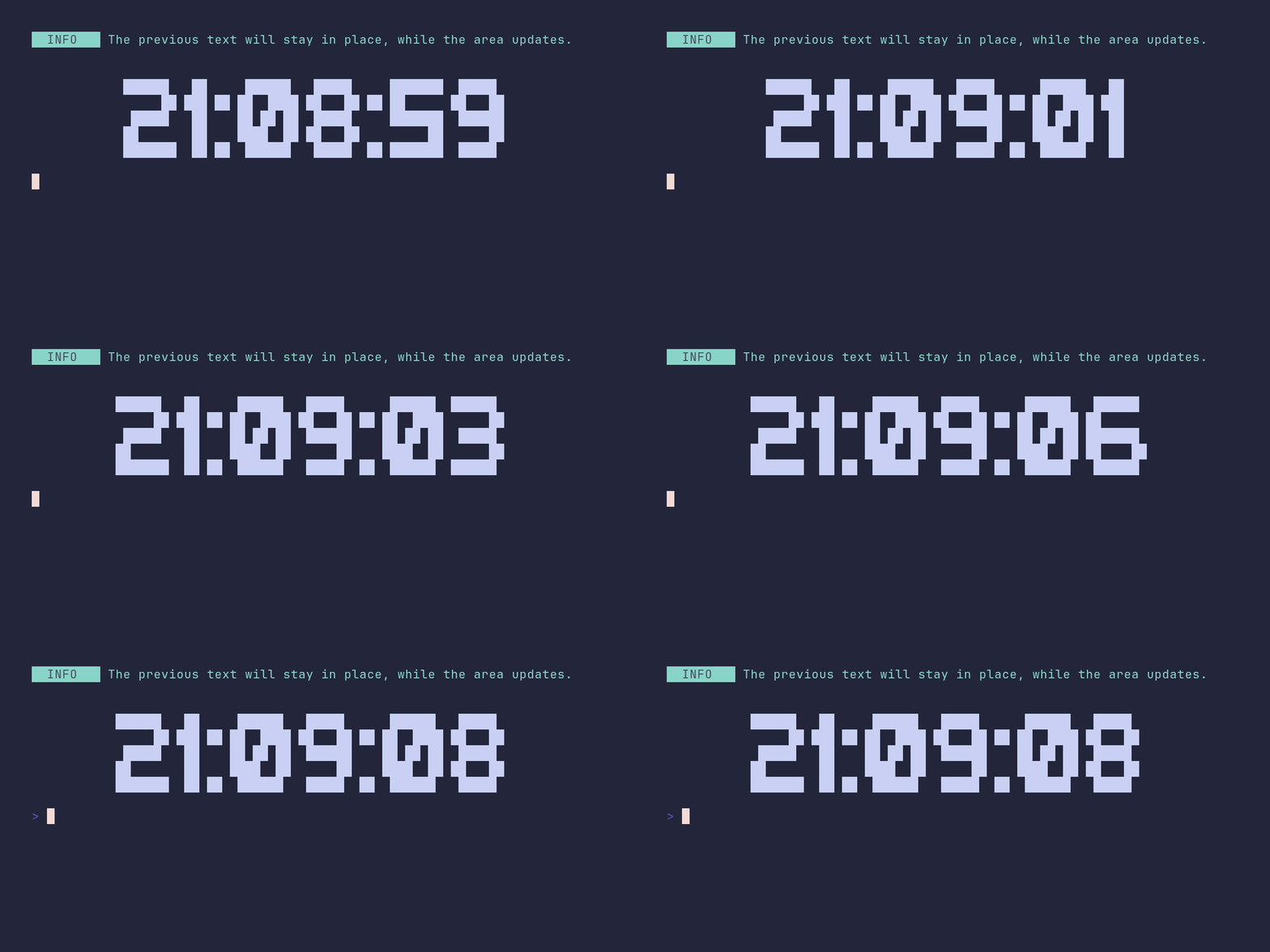
<details>
<summary>SHOW SOURCE</summary>
```go
package main
import (
"time"
"github.com/pterm/pterm"
"github.com/pterm/pterm/putils"
)
func main() {
// A live clock: only the area redraws, anything printed before it stays put.
pterm.Info.Println("The previous text will stay in place, while the area updates.")
pterm.Print("\n\n")
area, _ := pterm.DefaultArea.WithCenter().Start()
for range 10 {
// Render the current time as big letters into a string, then swap it
// into the area. Srender returns the output instead of printing it.
str, _ := pterm.DefaultBigText.WithLetters(putils.LettersFromString(time.Now().Format("15:04:05"))).Srender()
area.Update(str)
time.Sleep(time.Second)
}
area.Stop()
}
```
</details>
### area/center
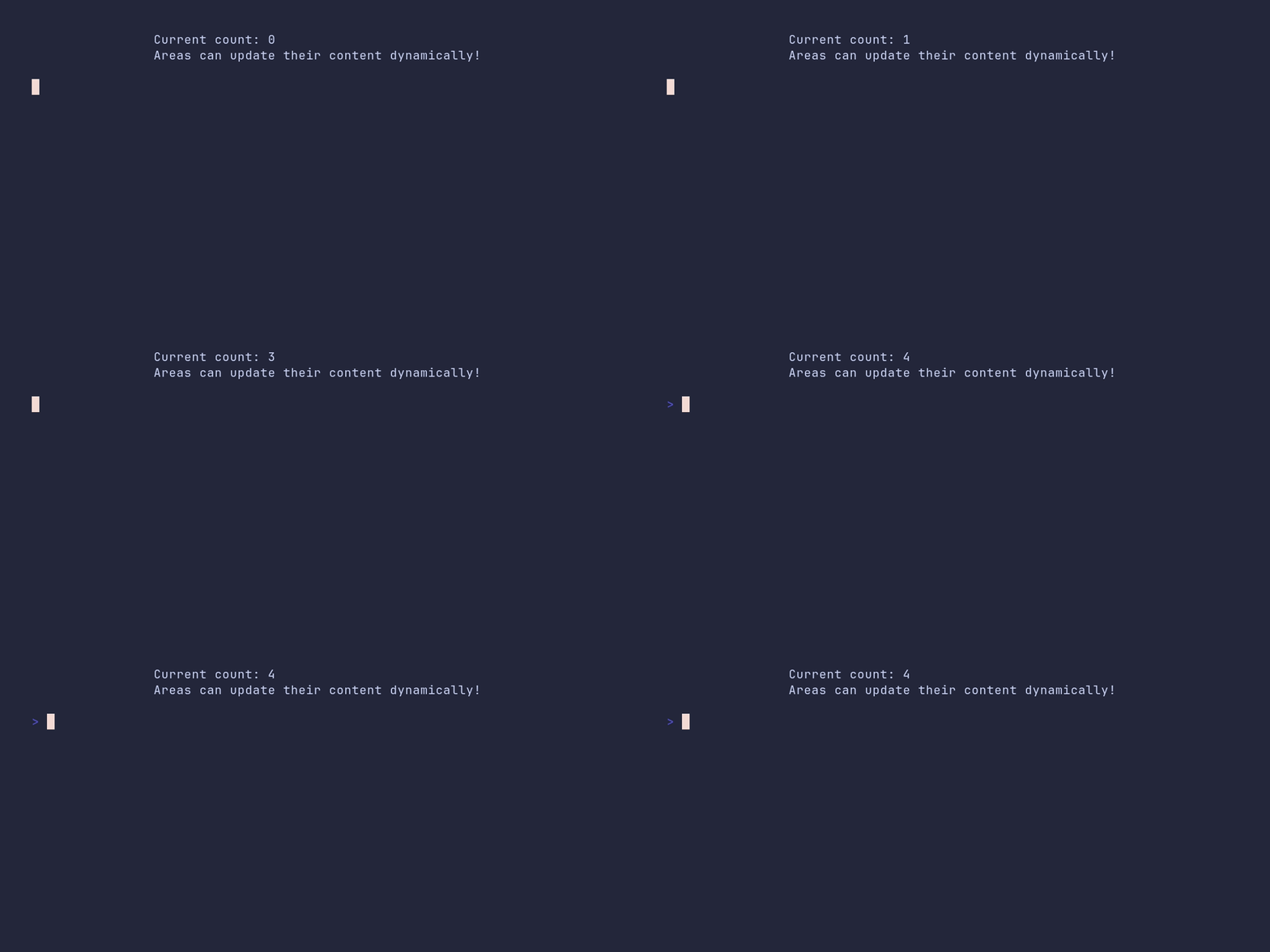
<details>
<summary>SHOW SOURCE</summary>
```go
package main
import (
"time"
"github.com/pterm/pterm"
)
func main() {
// WithCenter horizontally centers the area's content in the terminal.
area, _ := pterm.DefaultArea.WithCenter().Start()
// Each Update redraws the area in place instead of appending new lines.
for i := range 5 {
area.Update(pterm.Sprintfln("Current count: %d\nAreas can update their content dynamically!", i))
time.Sleep(time.Second)
}
area.Stop()
}
```
</details>
### area/default
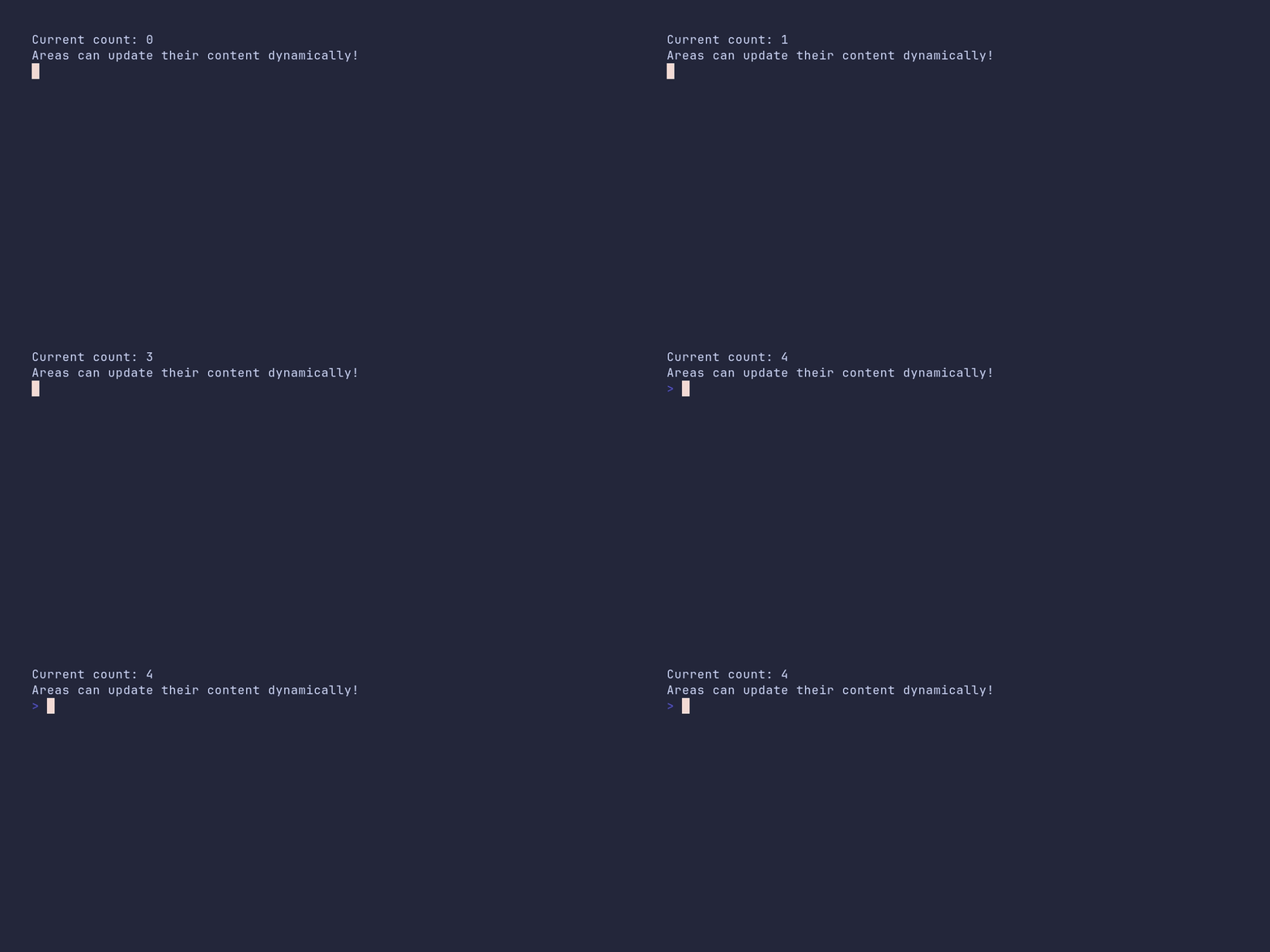
<details>
<summary>SHOW SOURCE</summary>
```go
package main
import (
"time"
"github.com/pterm/pterm"
)
func main() {
area, _ := pterm.DefaultArea.Start()
// Each Update redraws the area in place instead of appending new lines.
for i := range 5 {
area.Update(pterm.Sprintfln("Current count: %d\nAreas can update their content dynamically!", i))
time.Sleep(time.Second)
}
area.Stop()
}
```
</details>
### area/dynamic-chart
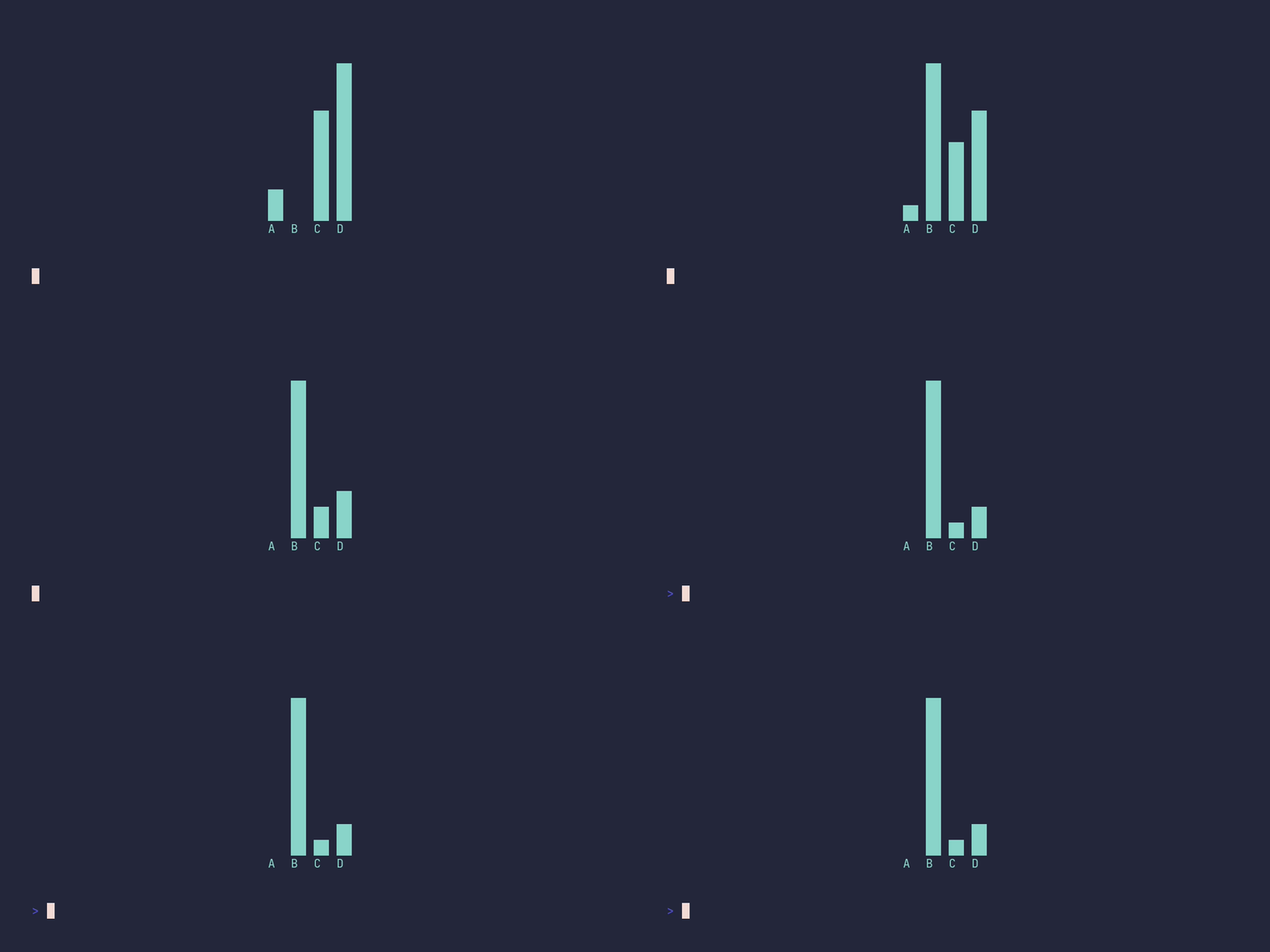
<details>
<summary>SHOW SOURCE</summary>
```go
package main
import (
"time"
"github.com/pterm/pterm"
)
func main() {
// A live bar chart: render the chart to a string each tick and let the
// area redraw it in place. Fullscreen gives the area the whole terminal.
area, _ := pterm.DefaultArea.WithFullscreen().WithCenter().Start()
defer area.Stop()
for i := range 10 {
barchart := pterm.DefaultBarChart.WithBars(dynamicBars(i))
content, _ := barchart.Srender()
area.Update(content)
time.Sleep(500 * time.Millisecond)
}
}
// dynamicBars returns the chart data for the given tick. B and D grow over
// time, A and C stay constant.
func dynamicBars(i int) pterm.Bars {
return pterm.Bars{
{Label: "A", Value: 10},
{Label: "B", Value: 20 * i},
{Label: "C", Value: 30},
{Label: "D", Value: 40 + i},
}
}
```
</details>
### area/fullscreen
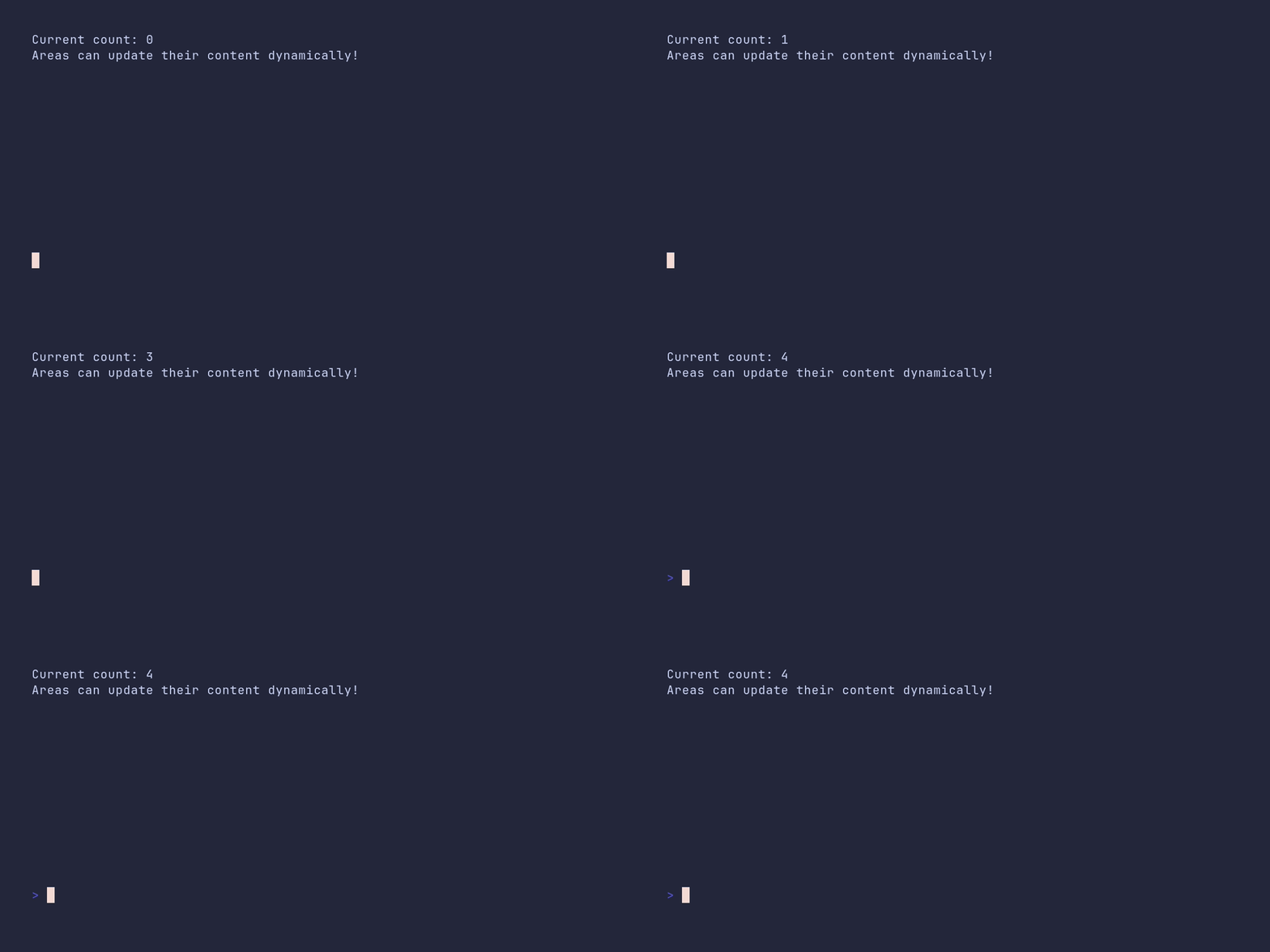
<details>
<summary>SHOW SOURCE</summary>
```go
package main
import (
"time"
"github.com/pterm/pterm"
)
func main() {
// Fullscreen clears the terminal and gives the area the whole screen.
area, _ := pterm.DefaultArea.WithFullscreen().Start()
// Each Update redraws the area in place instead of appending new lines.
for i := range 5 {
area.Update(pterm.Sprintf("Current count: %d\nAreas can update their content dynamically!", i))
time.Sleep(time.Second)
}
// Stop clears the area and restores the terminal.
area.Stop()
}
```
</details>
### area/fullscreen-center
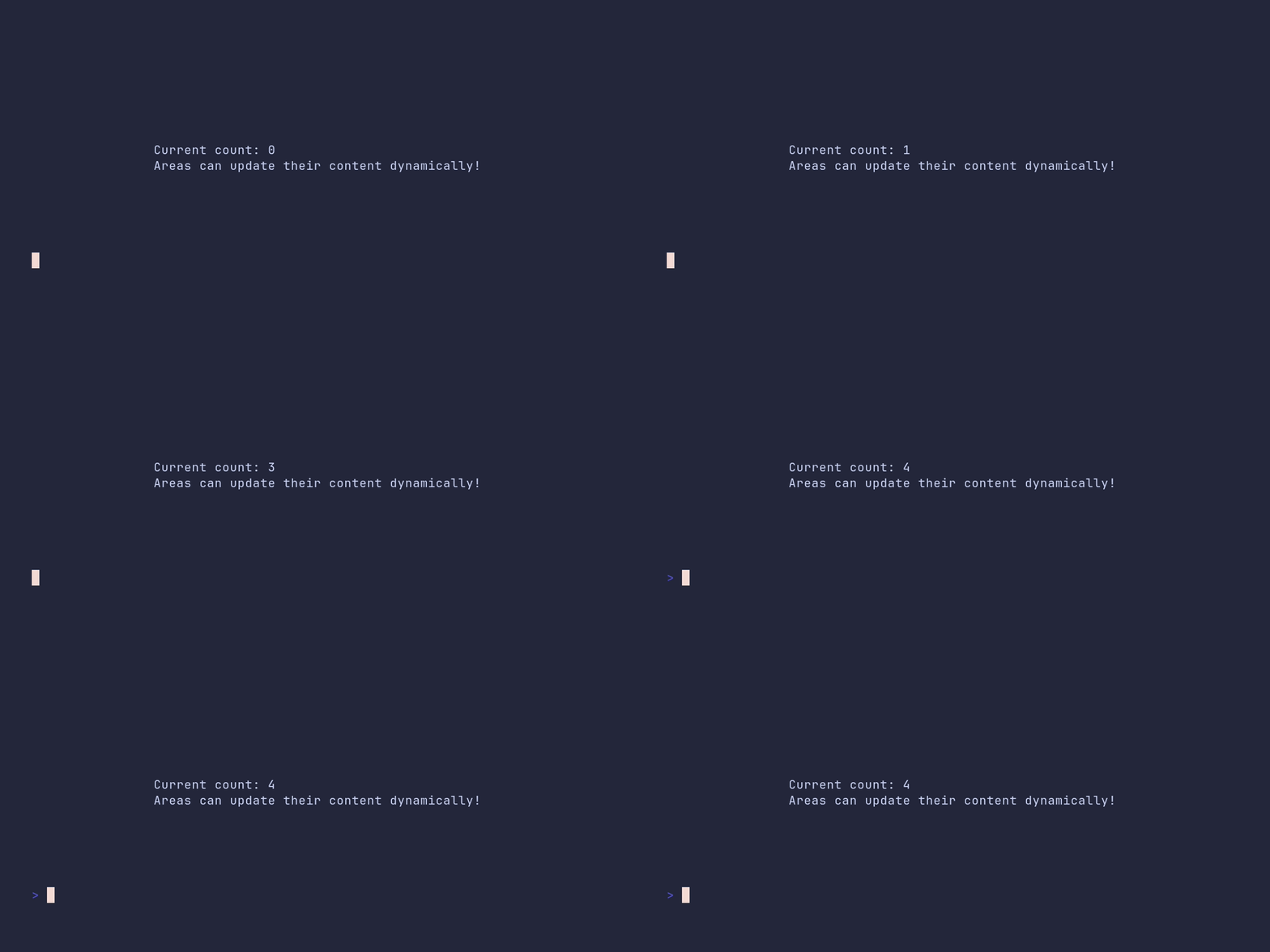
<details>
<summary>SHOW SOURCE</summary>
```go
package main
import (
"time"
"github.com/pterm/pterm"
)
func main() {
// Fullscreen takes over the whole terminal; WithCenter centers the
// content within it.
area, _ := pterm.DefaultArea.WithFullscreen().WithCenter().Start()
// Each Update redraws the area in place instead of appending new lines.
for i := range 5 {
area.Update(pterm.Sprintf("Current count: %d\nAreas can update their content dynamically!", i))
time.Sleep(time.Second)
}
// Stop clears the area and restores the terminal.
area.Stop()
}
```
</details>
### barchart/demo
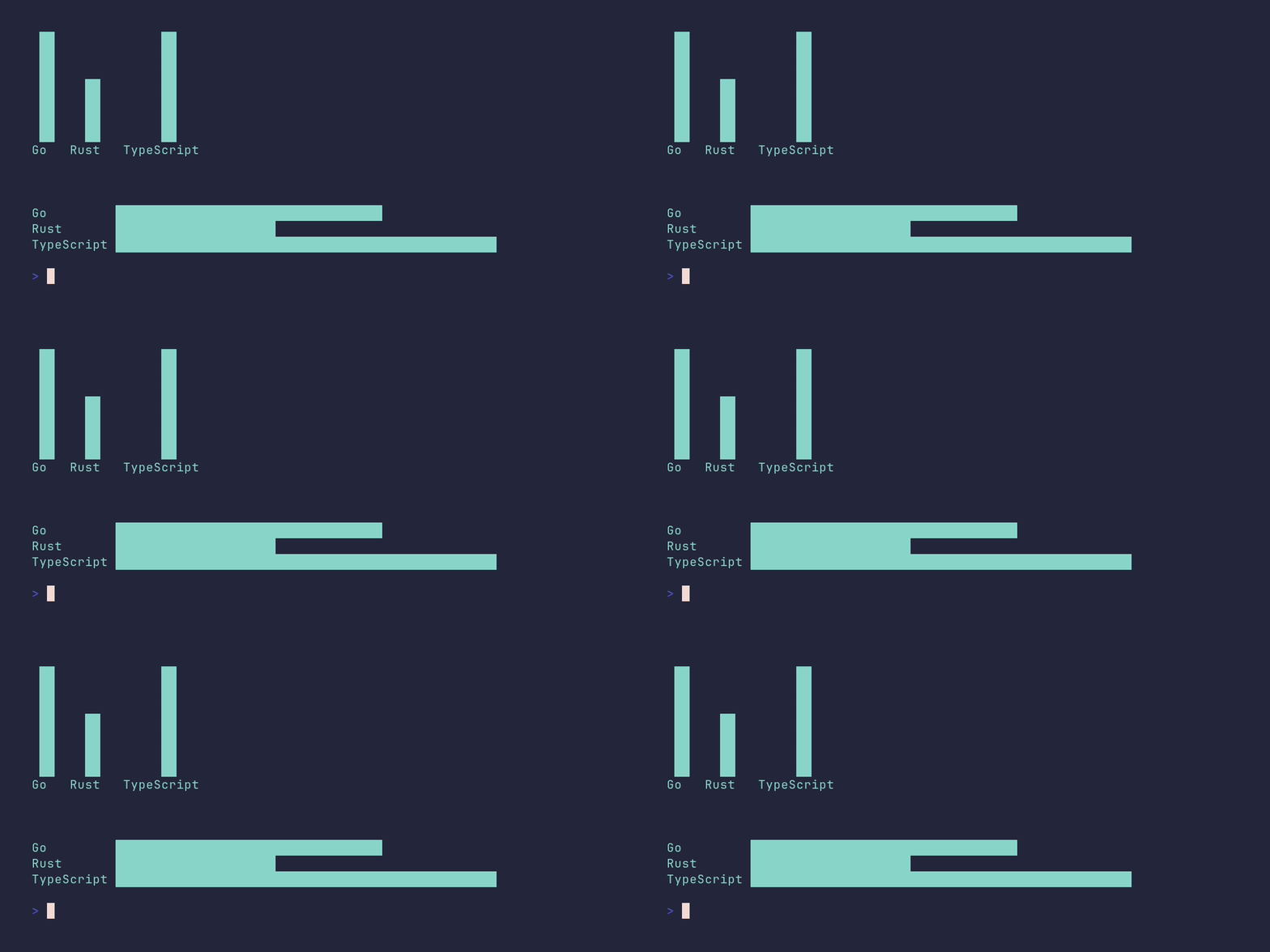
<details>
<summary>SHOW SOURCE</summary>
```go
package main
import (
"github.com/pterm/pterm"
)
func main() {
// One deliberately longer label shows how the horizontal chart
// aligns all bars to the widest label.
bars := []pterm.Bar{
{Label: "Go", Value: 5},
{Label: "Rust", Value: 3},
{Label: "TypeScript", Value: 7},
}
pterm.Info.Println("Chart example with positive values only (bars use the full chart area)")
pterm.DefaultBarChart.WithBars(bars).Render()
// The same data rendered horizontally.
pterm.DefaultBarChart.WithHorizontal().WithBars(bars).Render()
}
```
</details>
### barchart/custom-height
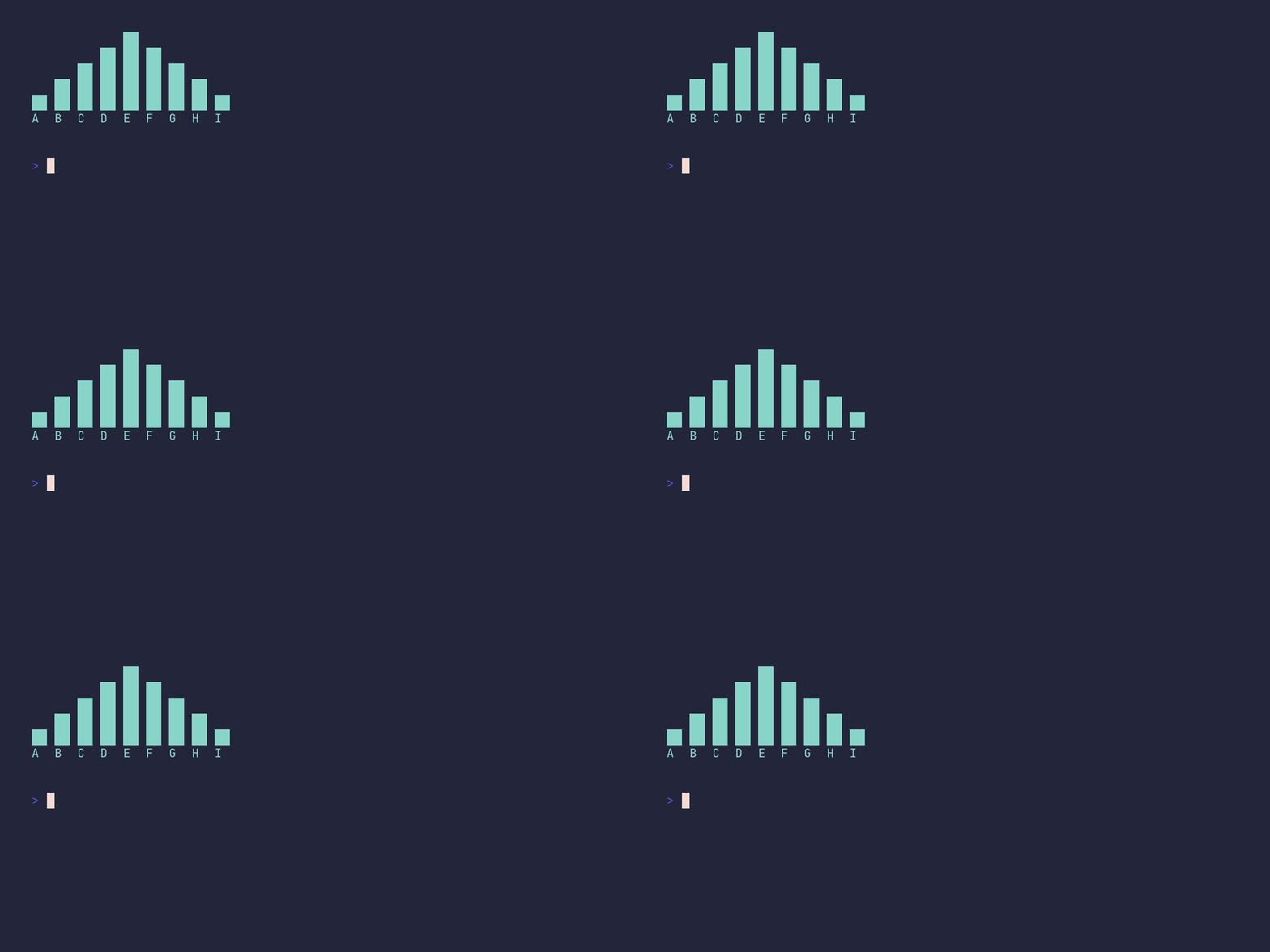
<details>
<summary>SHOW SOURCE</summary>
```go
package main
import "github.com/pterm/pterm"
func main() {
bars := []pterm.Bar{
{Label: "A", Value: 10},
{Label: "B", Value: 20},
{Label: "C", Value: 30},
{Label: "D", Value: 40},
{Label: "E", Value: 50},
{Label: "F", Value: 40},
{Label: "G", Value: 30},
{Label: "H", Value: 20},
{Label: "I", Value: 10},
}
// WithHeight caps the chart at 5 rows; the bar values are scaled to fit.
pterm.DefaultBarChart.WithBars(bars).WithHeight(5).Render()
}
```
</details>
### barchart/custom-width

<details>
<summary>SHOW SOURCE</summary>
```go
package main
import "github.com/pterm/pterm"
func main() {
barData := []pterm.Bar{
{Label: "A", Value: 10},
{Label: "B", Value: 20},
{Label: "C", Value: 30},
{Label: "D", Value: 40},
{Label: "E", Value: 50},
{Label: "F", Value: 40},
{Label: "G", Value: 30},
{Label: "H", Value: 20},
{Label: "I", Value: 10},
}
// In a horizontal chart, WithWidth limits how far the bars extend
// to the right; the values are scaled to fit into 5 columns.
pterm.DefaultBarChart.WithBars(barData).WithHorizontal().WithWidth(5).Render()
}
```
</details>
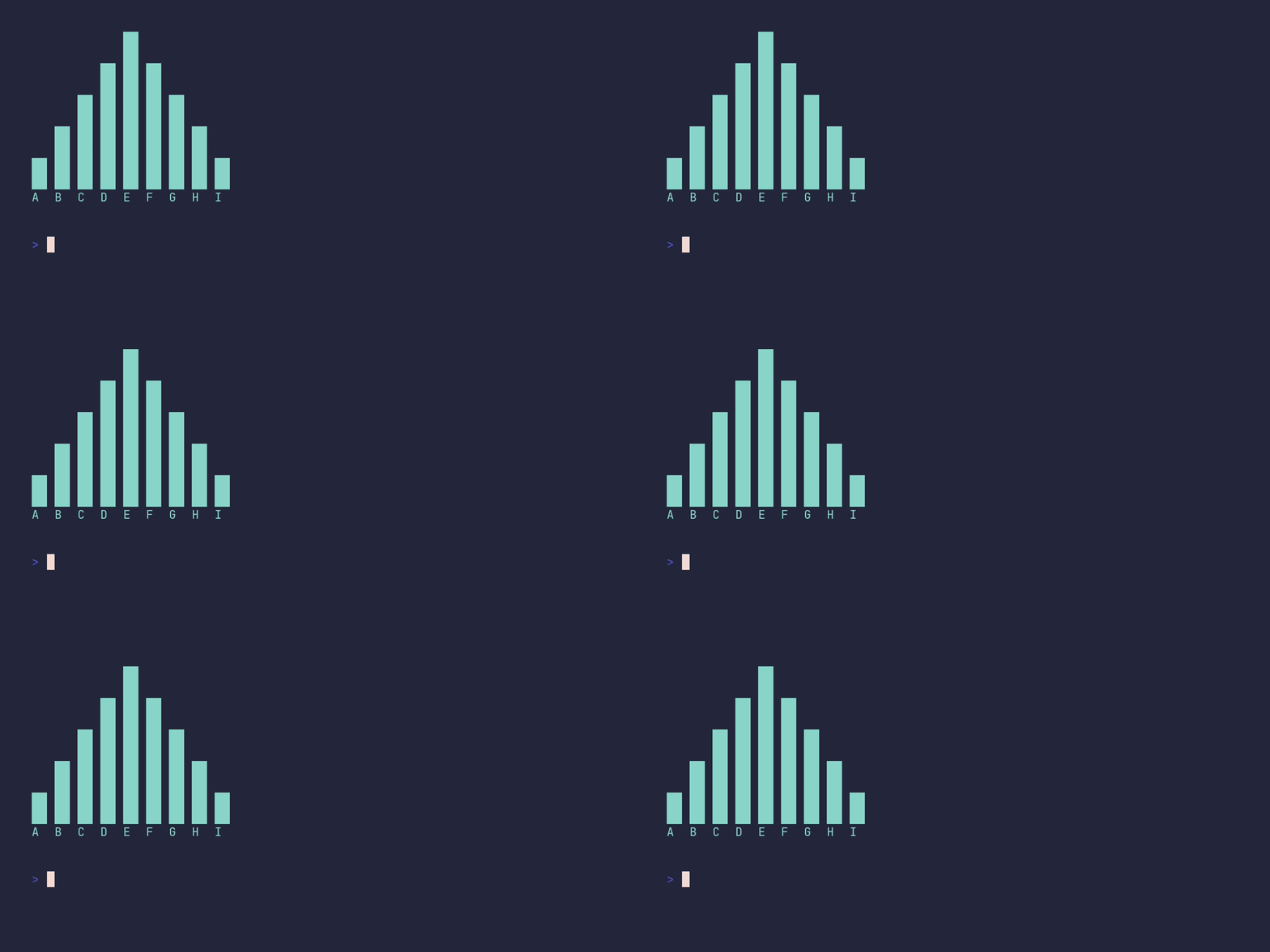
### barchart/default
<details>
<summary>SHOW SOURCE</summary>
```go
package main
import "github.com/pterm/pterm"
func main() {
bars := []pterm.Bar{
{Label: "A", Value: 10},
{Label: "B", Value: 20},
{Label: "C", Value: 30},
{Label: "D", Value: 40},
{Label: "E", Value: 50},
{Label: "F", Value: 40},
{Label: "G", Value: 30},
{Label: "H", Value: 20},
{Label: "I", Value: 10},
}
// By default the chart is drawn vertically, with each label under its bar.
pterm.DefaultBarChart.WithBars(bars).Render()
}
```
</details>
### barchart/horizontal
<details>
<summary>SHOW SOURCE</summary>
```go
package main
import "github.com/pterm/pterm"
func main() {
bars := []pterm.Bar{
{Label: "A", Value: 10},
{Label: "B", Value: 20},
{Label: "C", Value: 30},
{Label: "D", Value: 40},
{Label: "E", Value: 50},
{Label: "F", Value: 40},
{Label: "G", Value: 30},
{Label: "H", Value: 20},
{Label: "I", Value: 10},
}
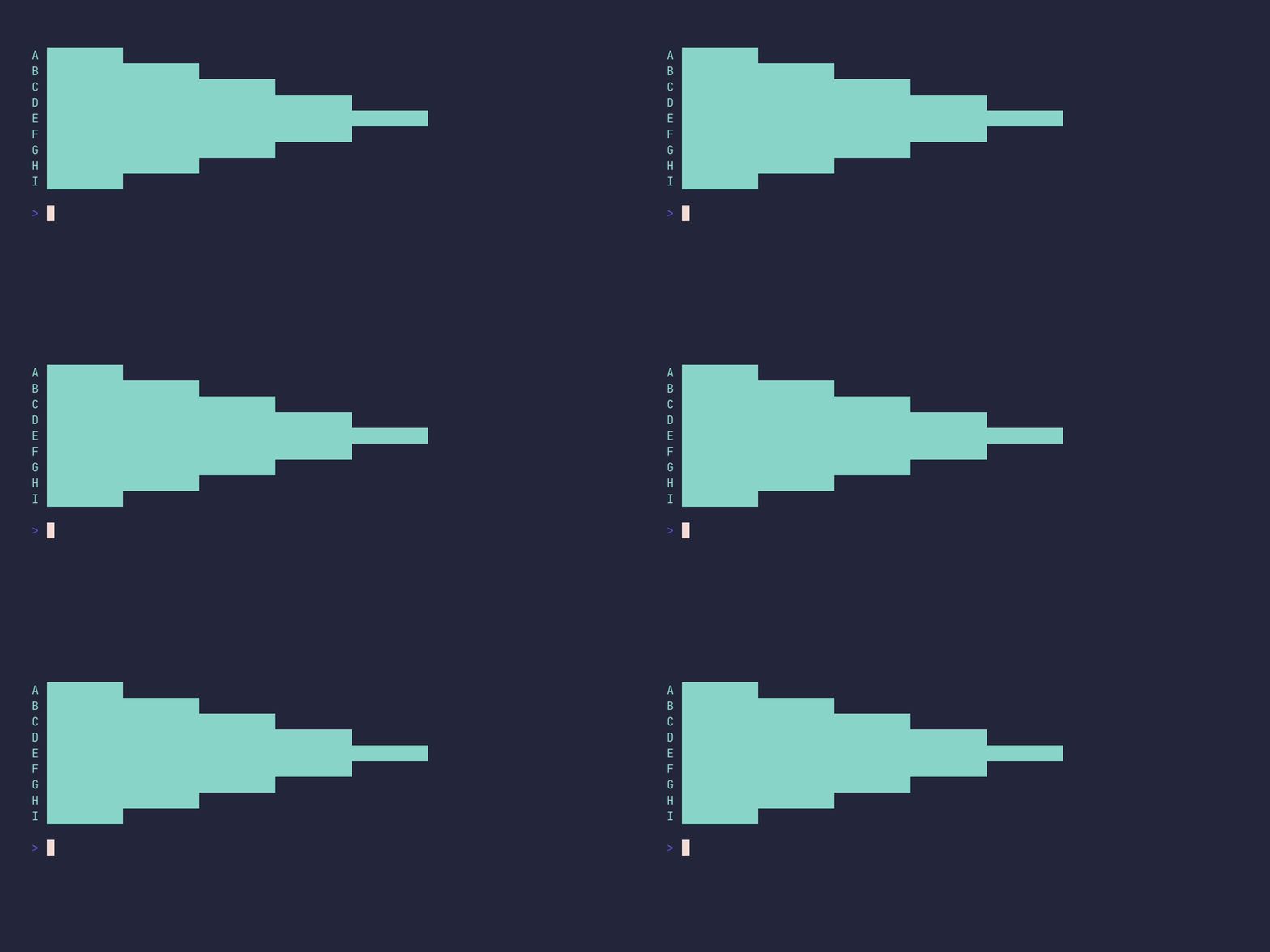
// WithHorizontal draws one bar per line, left to right, with the
// label in front of each bar.
pterm.DefaultBarChart.WithBars(bars).WithHorizontal().Render()
}
```
</details>
### barchart/horizontal-show-value
<details>
<summary>SHOW SOURCE</summary>
```go
package main
import "github.com/pterm/pterm"
func main() {
barData := []pterm.Bar{
{Label: "A", Value: 10},
{Label: "B", Value: 20},
{Label: "C", Value: 30},
{Label: "D", Value: 40},
{Label: "E", Value: 50},
{Label: "F", Value: 40},
{Label: "G", Value: 30},
{Label: "H", Value: 20},
{Label: "I", Value: 10},
}
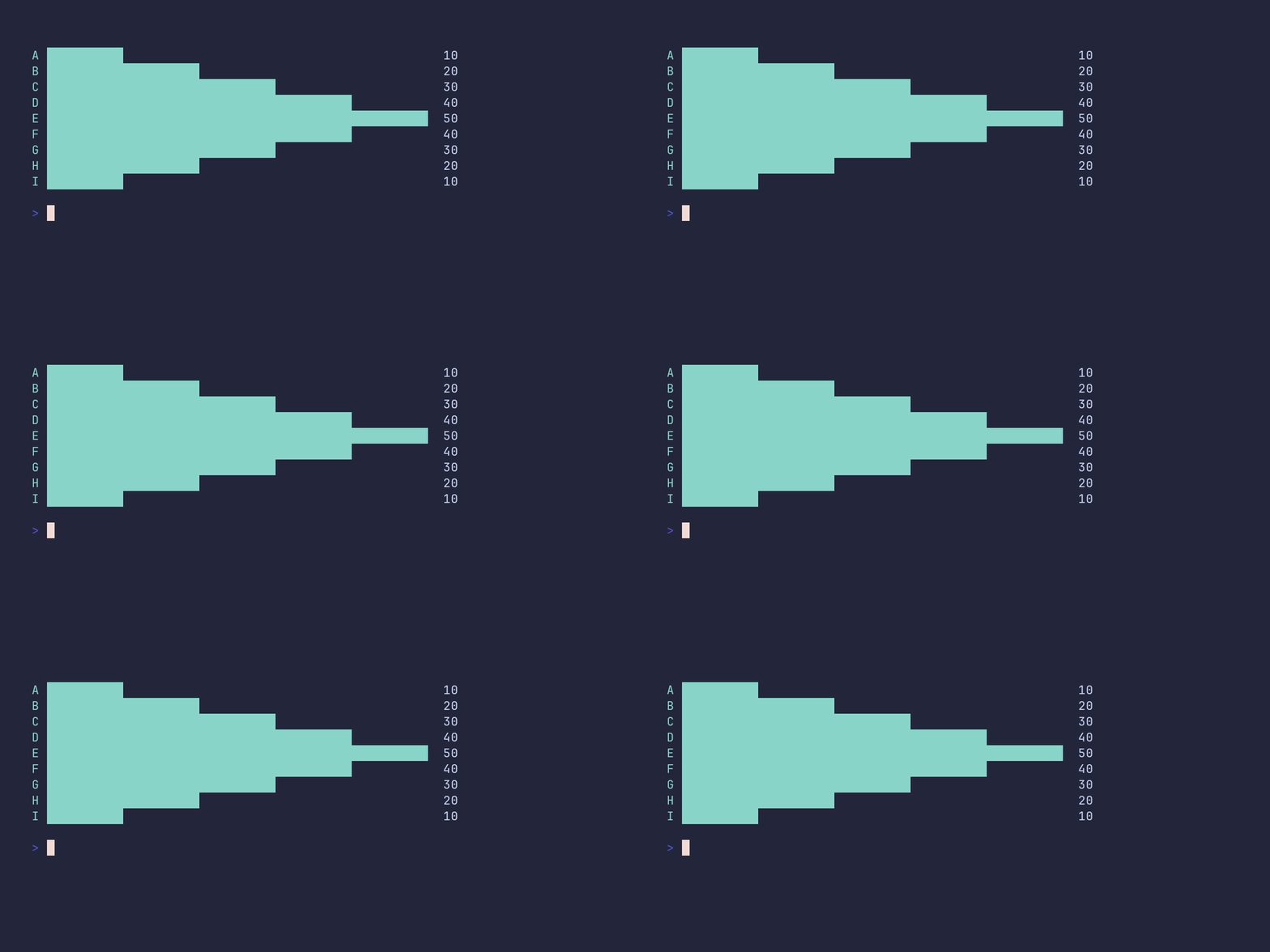
// WithShowValue prints each bar's numeric value at the end of the bar.
pterm.DefaultBarChart.WithBars(barData).WithHorizontal().WithShowValue().Render()
}
```
</details>
### barchart/mixed-values
<details>
<summary>SHOW SOURCE</summary>
```go
package main
import (
"github.com/pterm/pterm"
)
func main() {
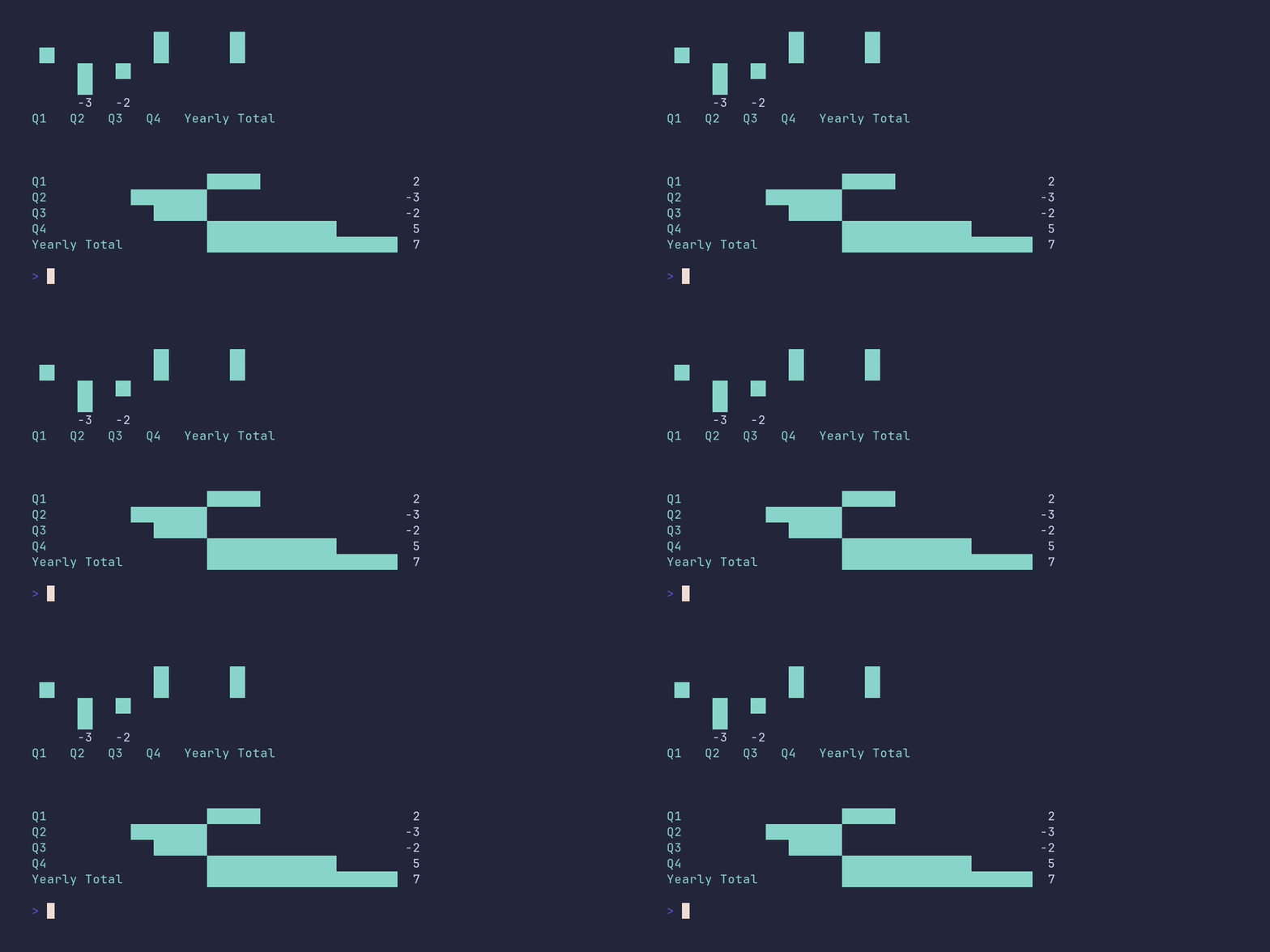
// Quarterly results with both gains and losses. The longer label
// shows how the horizontal chart aligns bars to the widest label.
bars := []pterm.Bar{
{Label: "Q1", Value: 2},
{Label: "Q2", Value: -3},
{Label: "Q3", Value: -2},
{Label: "Q4", Value: 5},
{Label: "Yearly Total", Value: 7},
}
pterm.DefaultSection.Println("Chart example with mixed values (the chart area is split between the positive and negative side, so bars get less space when the absolute values differ a lot)")
pterm.DefaultBarChart.WithBars(bars).WithShowValue().Render()
// The same data rendered horizontally.
pterm.DefaultBarChart.WithHorizontal().WithBars(bars).WithShowValue().Render()
}
```
</details>
### barchart/negative-values
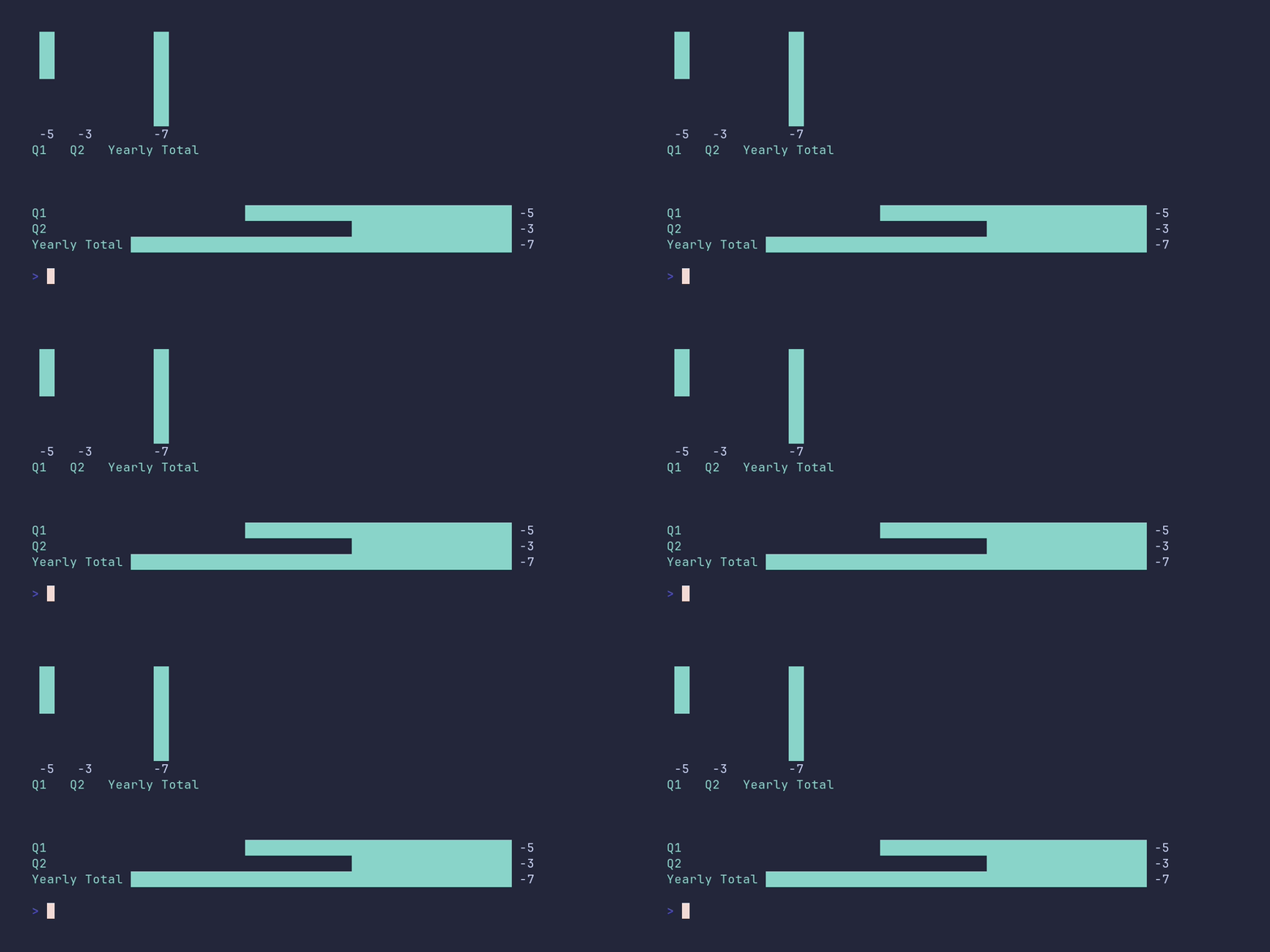
<details>
<summary>SHOW SOURCE</summary>
```go
package main
import (
"github.com/pterm/pterm"
)
func main() {
// With only negative values there is no positive side to draw, so the
// bars still use the full chart area. The longer label shows how the
// horizontal chart aligns bars to the widest label.
negativeBars := pterm.Bars{
{Label: "Q1", Value: -5},
{Label: "Q2", Value: -3},
{Label: "Yearly Total", Value: -7},
}
pterm.Info.Println("Chart example with negative values only (bars use the full chart area)")
_ = pterm.DefaultBarChart.WithBars(negativeBars).WithShowValue().Render()
// The same data rendered horizontally.
_ = pterm.DefaultBarChart.WithHorizontal().WithBars(negativeBars).WithShowValue().Render()
}
```
</details>
### barchart/show-value
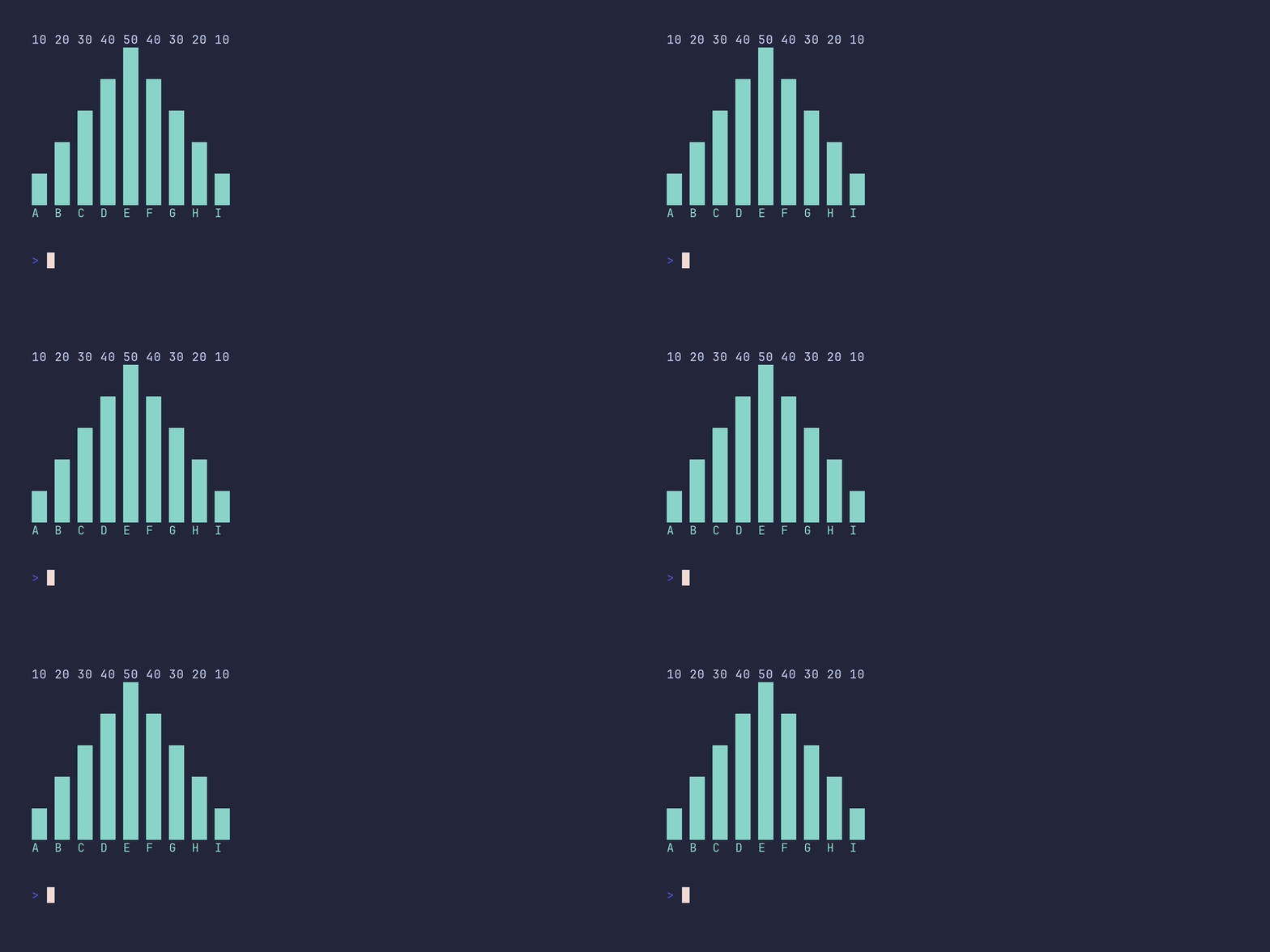
<details>
<summary>SHOW SOURCE</summary>
```go
package main
import "github.com/pterm/pterm"
func main() {
bars := []pterm.Bar{
{Label: "A", Value: 10},
{Label: "B", Value: 20},
{Label: "C", Value: 30},
{Label: "D", Value: 40},
{Label: "E", Value: 50},
{Label: "F", Value: 40},
{Label: "G", Value: 30},
{Label: "H", Value: 20},
{Label: "I", Value: 10},
}
// WithShowValue prints each bar's numeric value above the bar.
pterm.DefaultBarChart.WithBars(bars).WithShowValue().Render()
}
```
</details>
### basictext/demo
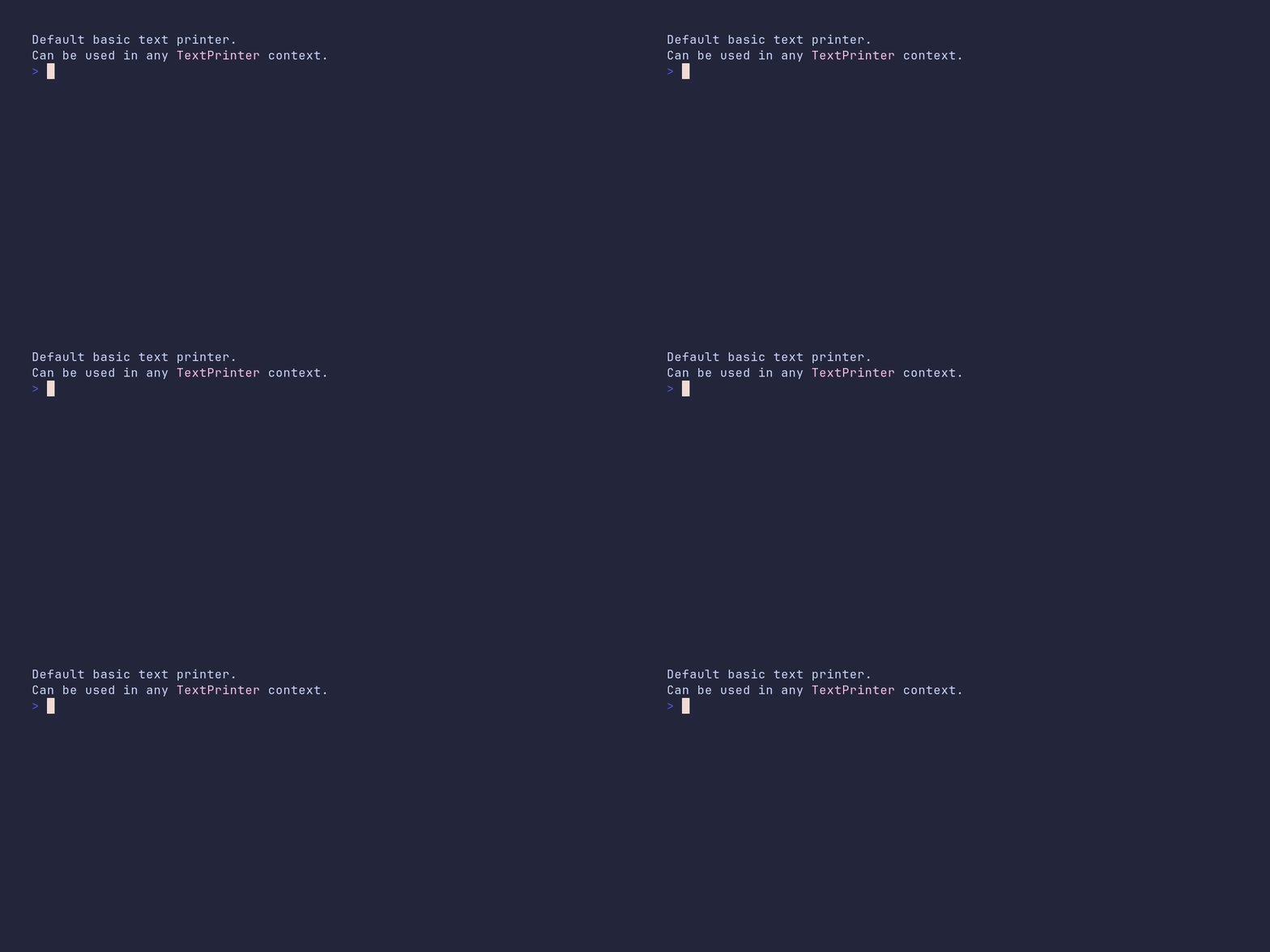
<details>
<summary>SHOW SOURCE</summary>
```go
package main
import "github.com/pterm/pterm"
func main() {
// DefaultBasicText prints plain, unstyled text. Its value is that it
// satisfies the TextPrinter interface, so it can be passed anywhere a
// styled printer would go.
pterm.DefaultBasicText.Println("Default basic text printer.")
pterm.DefaultBasicText.Println("Can be used in any" + pterm.LightMagenta(" TextPrinter ") + "context.")
}
```
</details>
### bigtext/demo
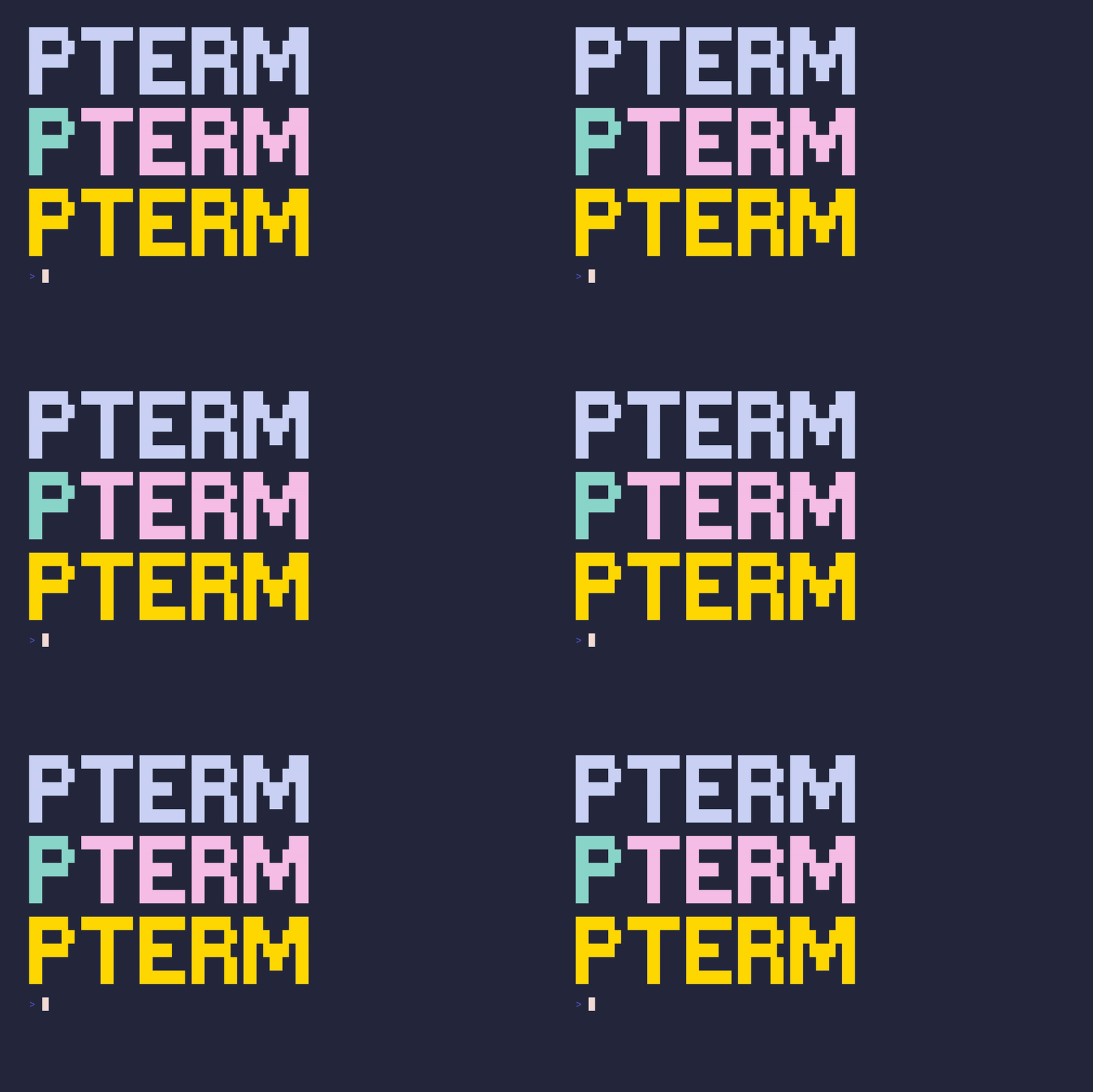
<details>
<summary>SHOW SOURCE</summary>
```go
package main
import (
"github.com/pterm/pterm"
"github.com/pterm/pterm/putils"
)
func main() {
// Big ASCII-art text in the default theme style. Handy for title screens.
pterm.DefaultBigText.WithLetters(putils.LettersFromString("PTerm")).Render()
// Each letter group can carry its own style, so parts of the text can be
// colored independently.
pterm.DefaultBigText.WithLetters(
putils.LettersFromStringWithStyle("P", pterm.FgCyan.ToStyle()),
putils.LettersFromStringWithStyle("Term", pterm.FgLightMagenta.ToStyle()),
).Render()
// TrueColor works too. On terminals without TrueColor support, PTerm
// downsamples the RGB value automatically.
pterm.DefaultBigText.WithLetters(
putils.LettersFromStringWithRGB("PTerm", pterm.NewRGB(255, 215, 0)),
).Render()
}
```
</details>
### bigtext/colored
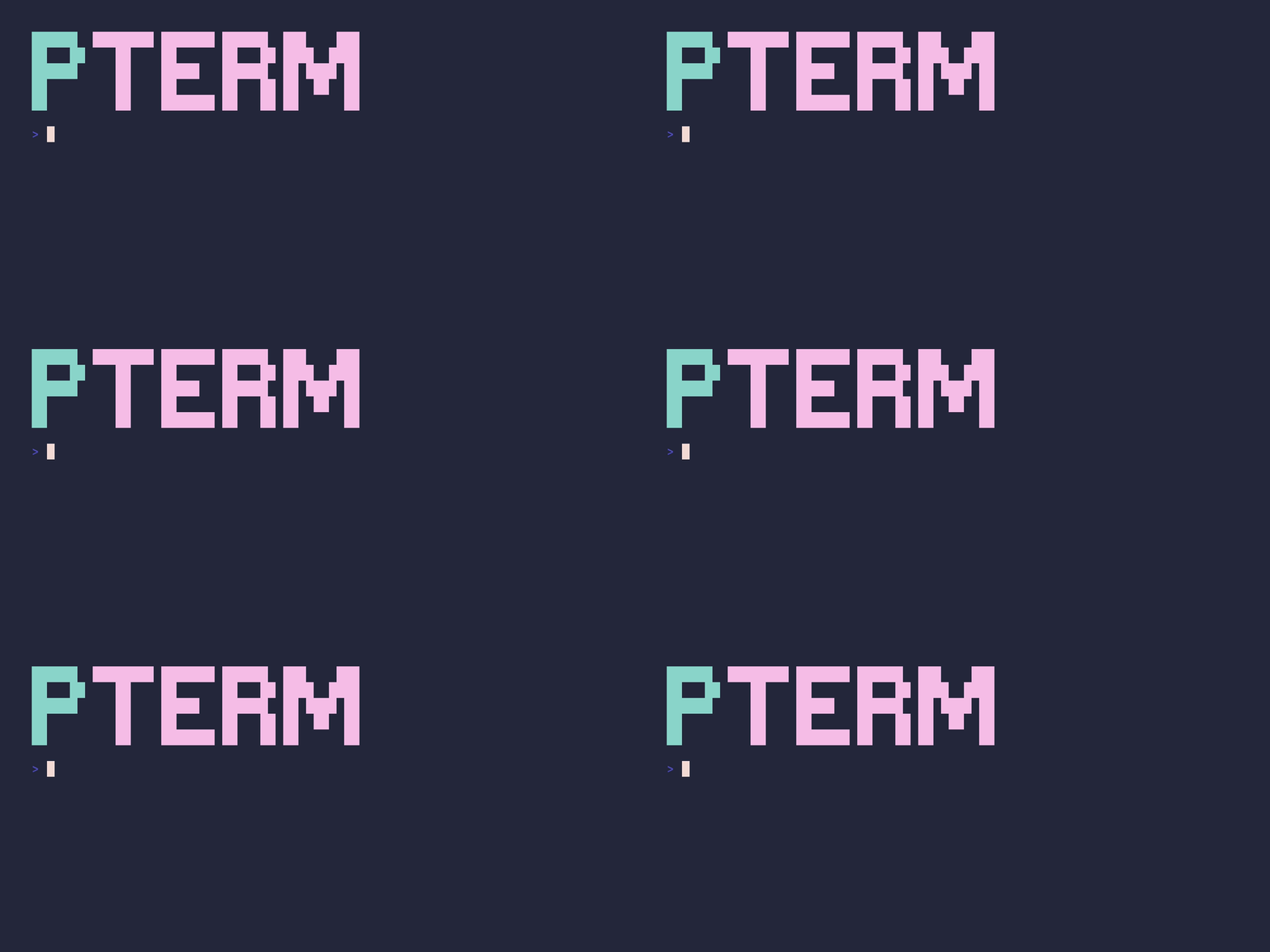
<details>
<summary>SHOW SOURCE</summary>
```go
package main
import (
"github.com/pterm/pterm"
"github.com/pterm/pterm/putils"
)
func main() {Frequently Asked Questions
What is pterm?
pterm is a Command Line library for the Go programming language. A library to beautify console output on every platform with many combinable components
How many GitHub stars does pterm have?
pterm has 5,555 GitHub stars in the directory's latest synchronization.
How do I install pterm?
Install pterm with the Go module system using `go get pterm/pterm`. Check the repository for the current installation instructions.
What category does pterm belong to?
pterm is listed under Command Line, specifically Advanced Console UIs.